


Starting With a Question
Before I wrote a line of code for BenchBoard, I needed to answer a question I was embarrassed to ask out loud: is this even worth doing?
I’d been a coach. I’d been a scorekeeper. I’d tried every app on the market and found them all wanting in some specific way I could articulate but couldn’t prove. That’s a terrible foundation for a project. “I personally found this frustrating” is how you build a hobby. It’s not how you build a product.
So I did something I’d never done in forty years of building software. I sat down with ChatGPT and used it like a research analyst.
I didn’t ask it to write code. I asked it to help me understand whether coaches, real coaches not just me, were running into the same walls I’d been running into. Were they actually looking for something that didn’t exist? Was BenchBoard a solution to a real problem, or was it a solution to a Rad problem?

The answer came back: real problem. Coaches across youth baseball and softball were actively searching for tools that connected team management to game data in a single place, and consistently not finding them. The apps that scored games didn’t manage rosters. The apps that managed rosters didn’t score games. The coaches who wanted both were duct-taping two products together and getting the worst of each.
That’s when I knew. Not “maybe this is worth a few weekends.” Worth building properly.
But there was a twist in the research I didn’t expect. When I looked at the coaches who said they couldn’t find a solution that worked, I was in that data. I was one of those coaches. The product I was about to build was the product I’d been failing to find for years.
That’s a strange feeling. Validating your own problem and not realizing, until after the fact, that you were part of the sample.
The Prototype Was Always Mine
Here’s something I don’t see talked about enough in the “AI builds apps” narrative: most people skip the hardest part of building anything, which is knowing what it should look like.
I have always been fast with HTML. Not fast in the “I Googled a tutorial” way. Fast in the way where I can sit down with a blank file and produce a working interface in an afternoon. No framework. No build toolchain. Just a structure, some CSS, and a layout that tells you exactly what belongs where. I’ve been doing it for a long time. It’s muscle memory.
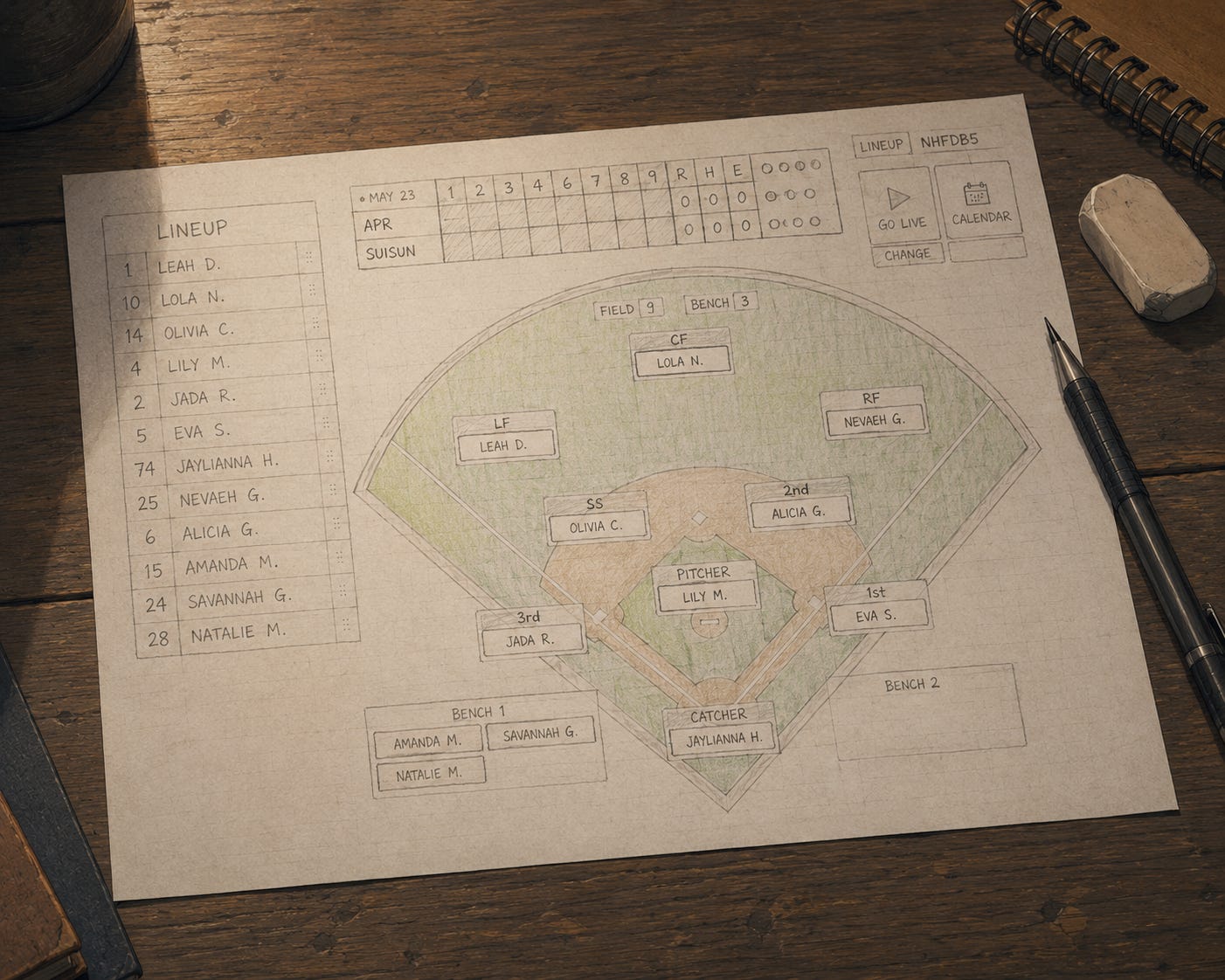
So before I wrote a single prompt asking an LLM to generate backend code, I built the screens. Every screen I wanted BenchBoard to have. Exactly the way I wanted them to look. Exact colors, exact layout, exact interactions. I wasn’t wireframing. I was prototyping. The difference matters: a wireframe is a suggestion. A prototype is a contract.
Here’s what I see a lot of non-programmers doing instead. They open a chat, describe their idea in a paragraph, and ask the AI to build them an interface. And it does. It builds something. It looks clean. It looks modern. It looks like every other app that came out of the same prompt with slightly different nouns. What it looks like is the AI’s best guess at what a solution to your problem could look like, filtered through every design pattern in its training data, averaged into something that is confidently generic.
The problem isn’t that the output is ugly. The problem is that the person with the idea has been funneled into a template. They didn’t design a solution. They accepted a suggestion. And because the interface came out looking polished, they assume it’s right. They ship it. Coaches open it. Coaches close it.
I did it differently. I sketched on paper first. Showed a few coaches what I was thinking: rough printouts, hand-drawn layouts, literal paper on a table. I watched their eyes. Where did they look first? What did they reach for? What did they ask about before I explained it? Then I went home and built those screens in HTML. Not because I had to. Because that’s how you turn a nod from a real user into a real product. The HTML was already the answer before the AI wrote a single function.
I want to be fair here. There is an enormous amount of work where LLM-generated boilerplate is exactly the right tool. Closing gaps in internal corporate processes, building admin dashboards, generating forms and reports and CRUD screens. That’s the bread and butter, and Claude handles it better than anything I’ve ever used. If you need a thing that looks roughly like ten other things that already exist, let the AI build it and move on.
But if you are building something from scratch, something nobody has built quite this way for users with a specific problem you actually understand, then the interface is not a template problem. It’s an engineering problem. And the only way to solve an engineering problem correctly is to know what correct looks like before you start building. The AI doesn’t know. It has never stood behind a chain-link fence watching a coach try to manage nine kids, two parents texting about playing time, and an umpire who disagrees with the count. All at the same time. On a phone with two bars. I know. So I drew the screens first.
What that shift represents is more important than it sounds. We are no longer fighting syntax. We are no longer reading SolidJS method docs at midnight trying to figure out why a reactive signal isn’t updating. The AI absorbed all of that. The boring machinery of building software (the boilerplate, the lookups, the wiring) is largely handled. What’s left is the actual job: the vision, the judgment, the problem to solve. Engineering. The stuff that was always the hard part, and is now the only part.
Thank God for Claude in those moments. And thank God the judgment still belongs to us.
Then I used the LLM to make those prototypes functional. Not to design them. I’d already done that. To wire them up. Fill in the logic behind the buttons. Connect them to data. I handed it a finished face and said: make this breathe.
That inversion (human designs, AI implements) is different from how most people are using these tools. And I think it’s why my output looked the way I wanted it to look from day one. The AI didn’t make aesthetic decisions for me because I never gave it the chance.
There was one other big decision at this stage, and I almost made it the hard way. If I’m building a web app and a mobile app, do I need three codebases? Web, iOS, Android? That’s not a question of effort. It’s a question of sanity. Three separate stacks, three separate build processes, three versions of every bug.
Then I found Capacitor. In short: build your web app, wrap it, ship it as a native app on iOS and Android. One codebase. One set of logic. Three front doors. I made a conscious call that the tradeoffs were worth it: stay on the web, where I was fast, where the AI had plenty of training data, and where I didn’t have to become a Swift developer while simultaneously building a scorekeeping engine.
Some decisions only look obvious in retrospect. That one I knew immediately.
I Almost Exited The Freeway When I Didn’t Have To
The frontend decision almost broke me.
I had started the project in SolidJS. If you’re a developer reading this, you know what that means. If you’re a coach: it’s like choosing to drive a manual transmission because it’s more precise than an automatic. Most people don’t, and the road signs are all written for automatic drivers.
About six months in, the AI started pushing back. Not explicitly. It would just... struggle. SolidJS has a smaller footprint in training data than React. The AI knew React cold. It knew the React ecosystem, the React patterns, the React error messages and workarounds. And occasionally, frustratingly, it would say essentially: I could do this a lot faster if you were in React.
I almost switched. I had the migration mapped out. I was a few days from pulling the trigger.
What stopped me was a different realization: the AI wasn’t failing because SolidJS was wrong. It was failing because it didn’t have enough documentation to work from in context. The fix wasn’t to change frameworks. The fix was to feed it the docs. Paste the SolidJS documentation directly into the conversation. Tell it where to look. Give it the training data it was missing, right there in the prompt.
That worked. And it reminded me of something I now treat as a standing rule: these models don’t come with a complete map of every library in the world. They have deep coverage of what’s popular. Outside of that, you are the guide. You hand them the map.
There’s also something worth saying about timing. What was true in August 2025 is not what’s true in April 2026. If I were starting this project today, I’d probably make different choices. Not because my instincts were wrong, but because the tools have moved that fast. The models are bigger. The context windows are longer. What an AI can hold in its head in one session is different. The decision space in 2026 is not the same one I was standing in when I started.
I say that not to be wistful. I say it because anyone starting a project today needs to hear it: the advice you read six months ago may already be stale.
The Tools Didn’t Stand Still Either

Here is something the “AI is replacing developers” crowd never talks about: the AI itself kept changing while I was building.
I started with ChatGPT (GPT-4-something), using it mostly as a research and thinking tool. Then I moved into Codex when I was ready to generate actual code. Codex was the first time I felt like I had a collaborator instead of a search engine. It could read a file and write something that fit into it. That was genuinely new.
Then came Cursor. Cursor had IDE integration, project-wide context, the ability to see your whole codebase at once. I used it hard.
Then Windsurf. I still use it occasionally.
Then Claude Code. And that changed things in a specific way I haven’t seen documented well anywhere: refactoring. Not generating — refactoring. Taking something I’d already built and restructuring it without breaking everything downstream. Other tools I’d tried would attempt a refactor and introduce three new bugs for every one they fixed. Claude Code could hold the shape of the change in context, understand what was downstream of it, and make the move cleanly. I’ve never seen another tool do that consistently. It’s the reason I’m building in Claude now instead of somewhere else.
I’m not telling you this to review products. I’m telling you because the arc of that journey says something. In less than a year, the stack I’m building with has changed as dramatically as the stack I’m building on. The IDEs are updating. The models are updating. Language repositories that were stable for years are getting major commits every few weeks, because the tools that write code have started outpacing the tools that define what the languages can do.
Agentic development isn’t coming. It’s already the normal.
The question isn’t whether you’ll be building with AI. The question is whether you’ll be the person in the room who knows what to ask it to build, and whether you’ve been in enough dugouts to know when the answer it gives you is wrong.
The Cache That Lies
As of this writing, I’ve built what I hope is a stable version of the scorekeeping engine. It’s not pretty, but that’s okay for now. It’s a draft I’m currently testing in real games, and every time I take it onto a field I find something else the AI would not have surfaced on its own. Let me walk you through one of them, because it is the clearest example I have of why both disciplines are needed in the same brain.
Softball/baseball mode: on. As you should know, an at-bat has a count. Balls and strikes. Every pitch pushes one or the other number up. Four balls is a walk. Three strikes is out. Everyone in the park is watching that count. And if you still don’t know — an at-bat is someone ready to swing at home plate. Go watch an MLB game. I’ll wait.
Of course, that count resets to zero when the at-bat ends (hit, out, walk, whatever) and the next batter steps up. Right?
So how does BenchBoard know what the count is?
The obvious answer, the one the AI built, is to store two numbers in the database. Call them CurrentBalls and CurrentStrikes. Every time a pitch comes in, bump one of them up by one. The scoreboard reads those two numbers and shows them on the screen. Done.
When I saw what the AI had done, I asked Claude one question:
Doing CurrentBalls and CurrentStrikes wouldn’t be reliable right? If the transaction doesn’t work out between the PitchEvent and the GameEvent. My thought is to create a Table view based off PitchEvent and GameEvent. What do you think?
Quick normie decoder before we go further. A PitchEvent is exactly what it sounds like: a record of a single pitch. Ball. Strike. Foul tip. Every time the pitcher throws, the scorekeeper taps a button and that throw gets its own row in the database. Think of it as a receipt for each individual throw. A GameEvent is the bigger thing that ends an at-bat: a hit, a walk, a strikeout, whatever finally settles the matter. If PitchEvents are the individual plays in a poker hand, the GameEvent is when someone finally says “I’m in” or folds. One GameEvent can have anywhere from one to a dozen PitchEvents attached to it.
Let me translate that for the normies, or more importantly the coaches, if you’re still with me. All you developers already get it, come back after this.
Imagine the scoreboard operator at the field. They keep a sticky note on the dashboard with the current count scribbled on it. Every pitch, they cross it out and write the new one. Ball four. Strike one. Three-and-two. The count lives on the sticky note.

Now imagine the umpire. The umpire doesn’t need a sticky note. The umpire has a little clicker. One bead for every ball, one bead for every strike. The beads are the count. They can’t lie. If you want to know the count, you look at the beads.
Sometimes, in a fast-moving game, the umpire relies on the scorekeeper to keep count anyway. I can’t tell you how many times I’ve watched the umpire and the scorekeeper frantically compare notes when someone tries to steal a base, or when a softball pitcher is accused of a circle violation, or when the crowd starts yelling about a missed strike. A lot can happen. And we haven’t even talked about the myriad of rules that come into play across different divisions of youth baseball and softball.
When the sticky note and the beads disagree, it’s a problem. Somebody out there in the stands is counting too, and that can be an embarrassing moment. Or it can be a crucial one in a playoff tournament. The beads and the scorekeeper are only as good as the people paying attention. Ultimately, the scorekeeper is the go-to. Even when the umpire has a clicker, the clicker can be wrong. The scorekeeper’s app is who everybody ends up trusting.
Which means the scorekeeper’s app had better not keep its count on a sticky note.
The reason I bring all of this up is because the system just needs to work. No one cares what a cached value is in a database. But I do. And when that value is wrong, I know the impact of that mishap.
What I proposed instead was a database view. A view is a little window into the data that re-calculates the answer every time you look at it. Don’t store the count. Don’t trust anybody’s sticky note. Look at the actual pitches on record and count them, live, every time someone asks. This is the background crap no user will ever see. This is the stuff vibe coders and product managers will falter over. NO ARTIFICIAL INTELLIGENCE WILL EVER GET YOU HERE. EVEN WITH UNLIMITED TOKENS, POWER, AND CPU, THE AI AGENT WILL NEVER FIGURE THIS OUT ON ITS OWN. ONLY YOU.
This is when the AI came back with:
You’re right to question it. CurrentBalls/CurrentStrikes on the Game table is essentially a cached/denormalized value that can drift... A database view is the right approach.
Here’s what “drift” means in human terms. Over the course of a long enough game, or enough games, the sticky note and the beads disagree. The displayed count is wrong. A pitcher gets pulled one pitch too early. A batter walks who should’ve struck out. Nobody can explain it. The app works 98% of the time. That 2% is the 2% where coaches stop trusting the app.
Multiply that across thousands of pitches in hundreds of games in dozens of leagues, and “most of the time” isn’t good enough.
So we ditched the sticky note. The count is now a live query. Count the pitches, return the answer. One source of truth: the PitchEvent records themselves. If there are three balls and one strike on record and no at-bat outcome yet, the count is 3-1. Period.
Here’s what that actually looks like in the database during a real at-bat:
Pitch 1 - "Ball"    GameEventId = NULL   ← pending
Pitch 2 - "Ball"    GameEventId = NULL   ← pending
Pitch 3 - "Strike"  GameEventId = NULL   ← pending
Pitch 4 - "Ball"    GameEventId = NULL   ← pending

Count right now = count the NULLs = 3 balls, 1 strike
GameEventId is just a tag that says “this pitch is part of that at-bat.” Until somebody hits, walks, strikes out, or does anything that ends the at-bat, every pitch sits in a pending state, tagged NULL, meaning “no at-bat result yet.” The database doesn’t have to remember the count. It just counts the pending pitches.
Then the batter hits a single. The scorekeeper taps “Single.” The database creates one at-bat record (Result = "1B") and goes back and stamps every one of those pending pitches with that at-bat’s ID:
Pitch 1 - "Ball"    GameEventId = "event-xyz"   ← resolved
Pitch 2 - "Ball"    GameEventId = "event-xyz"   ← resolved
Pitch 3 - "Strike"  GameEventId = "event-xyz"   ← resolved
Pitch 4 - "Ball"    GameEventId = "event-xyz"   ← resolved
Pitch 5 - "Hit"     GameEventId = "event-xyz"   ← the at-bat outcome (Result = "1B")

Pending pitches = 0   →   Count is 0-0. Clean slate.
No pending pitches means no count. The next batter steps up and the count is automatically 0-0 without anybody telling the system to reset it. The data model does the work.
That pattern, every pitch floating in limbo until the at-bat ends and the outcome reaching back to claim them all at once, is the thing that makes the live view correct. And when I asked the AI months later whether we should merge PitchEvent and GameEvent into a single table, it pushed back and told me we shouldn’t, because “the GameEventId IS NULL design is load-bearing.” Its exact words. That one design decision is now keeping a dozen downstream features from falling over.
But here is the thing I want you to hold onto.
The AI built the sticky-note version first. It was faster. Cleaner. It compiled. It passed tests. If I’d accepted it, it would have shipped. And it would have drifted. And I would have spent months chasing phantom bugs where the displayed count didn’t match reality, with no idea why.
The AI didn’t know to distrust itself.
I did.
Not because I’m smarter. Because I’ve built systems that store money, systems that store medical records, systems where a cached value disagreeing with the source of truth meant somebody got on a plane with the wrong seat. I’ve seen that movie. The AI hasn’t.
And because I’ve coached enough innings to know what it looks like when a scoreboard lies to a dugout.
Two Players, Same Number

Here’s another that is short and it tells you everything.
Somewhere in the scorekeeping build, the app has to match up an opposing team’s players. When you’re scoring a game against another team, the scorekeeper enters their lineup. Sometimes those players already exist in the system, because they’ve played your team before. Sometimes they’re new. You need to know which is which, because if you’re creating duplicate records for the same kid every game, your data is immediately garbage.
How do you match?
The AI’s instinct was to match by jersey number. That’s the textbook answer. Jersey numbers are short. They’re printed on the kid. They’re unique within a team. In a computer science classroom, that’s a clean natural identifier and you’d use it without blinking.
Here’s what I told the AI:
DO NOT match by jersey number. It is NOT reliable as there could be guest players who have the same number.
If you’ve never been around youth travel baseball or softball, you wouldn’t know. In travel ball, teams regularly pick up guest players for a single tournament. That guest might wear a number that’s already on the regular roster, because nobody’s coordinating. You show up to a tournament and suddenly there are two #12s on the same team for the weekend. The AI’s “clean natural identifier” is, in reality, not unique at all.
I can count on one hand the number of computer science textbooks that mention “guest players may have duplicate jersey numbers on a given weekend.” It is zero. The number is zero.
That is a domain rule. It lives in the head of somebody who’s been a coach or a scorekeeper or a parent at enough tournaments to know. It is not in training data. It will never be in training data, because it is too local, too specific, too recent, and too unwritten to show up in anybody’s blog post.
And if you match by jersey number, your stats table becomes a fiction within three weekends.
The Phantom Runners

I’m testing End Inning late one night. I tap the button. The bases clear. The inning advances. I look at the scoreboard.
There are runners on second and third.
There weren’t supposed to be runners on second and third. I just ended the inning. The bases should be empty.
I tap End Inning again. Bases clear. Inning advances. I look again.
Runners. Same bases. Same phantom runners, appearing out of nowhere every single time I end an inning.
Here’s what End Inning actually does under the hood. When you tap it, the app immediately clears the bases on screen (instant visual feedback, the diamond goes empty) and raises a little internal flag that says “we’re in the middle of switching innings, don’t trust anything coming in right now.” Then it waits 3.5 seconds before officially telling the server the inning is over. That brief pause is intentional. It makes the transition feel smooth rather than janky.
Think of it like a hotel checkout. You tap “check out,” your key card stops working immediately, the room shows as vacant on the front desk screen. But the housekeeper is still in the hallway and might radio in “Room 214 has towels on the floor” during those few seconds before the system fully processes your departure. The system needs to know: that message is stale, ignore it.
That’s the flag. _halfClosing = true means “we’re checking out, discard any incoming towel reports.”
Now. BenchBoard has a real-time connection called SignalR that acts like a radio tower constantly broadcasting the game state to every connected screen. Parent phones. Scoreboards. The scorekeeper’s tablet. During that 3.5-second window, the server doesn’t know the inning is over yet, so it fires off one last broadcast of the current game state: runners on second and third, exactly as they were a moment ago.
Three different pieces of code receive that broadcast and decide what to do with it. Think of them like three front desk clerks, each responsible for one part of the checkout process. One handles the bases. One handles the ball-strike count. One handles the overall game state. When a broadcast comes in, each clerk processes their piece of it independently.
The bases clerk checked the flag. “Oh, we’re mid-checkout? I’ll ignore this.” ✅ The count clerk checked the flag. “Mid-checkout? Ignoring.” ✅ The game state clerk, the third one, never got the memo. No flag check. So when the broadcast arrived with runners on second and third, that clerk went right ahead and updated the scoreboard. Runners restored. Every time.
These pieces of code are called handlers. Each one listens for a specific type of incoming message and handles it. Think of the checkout guard as a sticky note on each clerk’s monitor that reads: “If the guest is mid-checkout, don’t process anything. Wait.” The AI had put that sticky note on two of the three monitors and forgotten the third clerk’s desk entirely. That clerk had no note. No instruction. So when the housekeeper’s radio message arrived mid-checkout, that clerk processed it like a normal guest request and put the runners back on base.
It had no way to catch this because it never actually ran the scenario: tapping End Inning in a live game with real runners on base and a real SignalR connection humming in the background. It tested in its head. I tested on a field.
The fix was four lines of code. One check at the top of the third handler: “are we mid-transition? Yes? Get out.”
Four lines. Phantom runners gone.
What I want you to take from this isn’t the fix. It’s the instinct behind finding it. Knowing to look for a missing guard on the third handler, when the first two had it, is not something you Google. It’s not in any tutorial. It lives in the part of your brain that remembers the last time something blew up during a transition window in a system that moved fast. Every developer who has shipped real-time software has a version of this scar. That scar is what made me look at the third handler. You can’t prompt your way to a scar.
Building Clean Lanes Before They Collide
There’s a category of architecture decision that I think about as “building for users who haven’t shown up yet.” The AI doesn’t make these decisions. It builds for the user it can see. You have to build for the user who’s going to show up next spring and break everything.
Here’s the one that almost cost me.
BenchBoard’s real-time layer, the pipe that pushes pitch counts, base updates, and score changes to every connected screen, was originally scoped to team-{teamId}. When a scorekeeper tapped “Ball,” the backend broadcast countUpdated to the team-{teamId} SignalR group. Every client that had joined that group (the scorekeeping screen, the scoreboard on the tablet, the parent’s phone) received the update.
Clean design. Logical. The AI built it correctly for the scenario it knew about: one team, one active game.
Then I thought about the tournament.
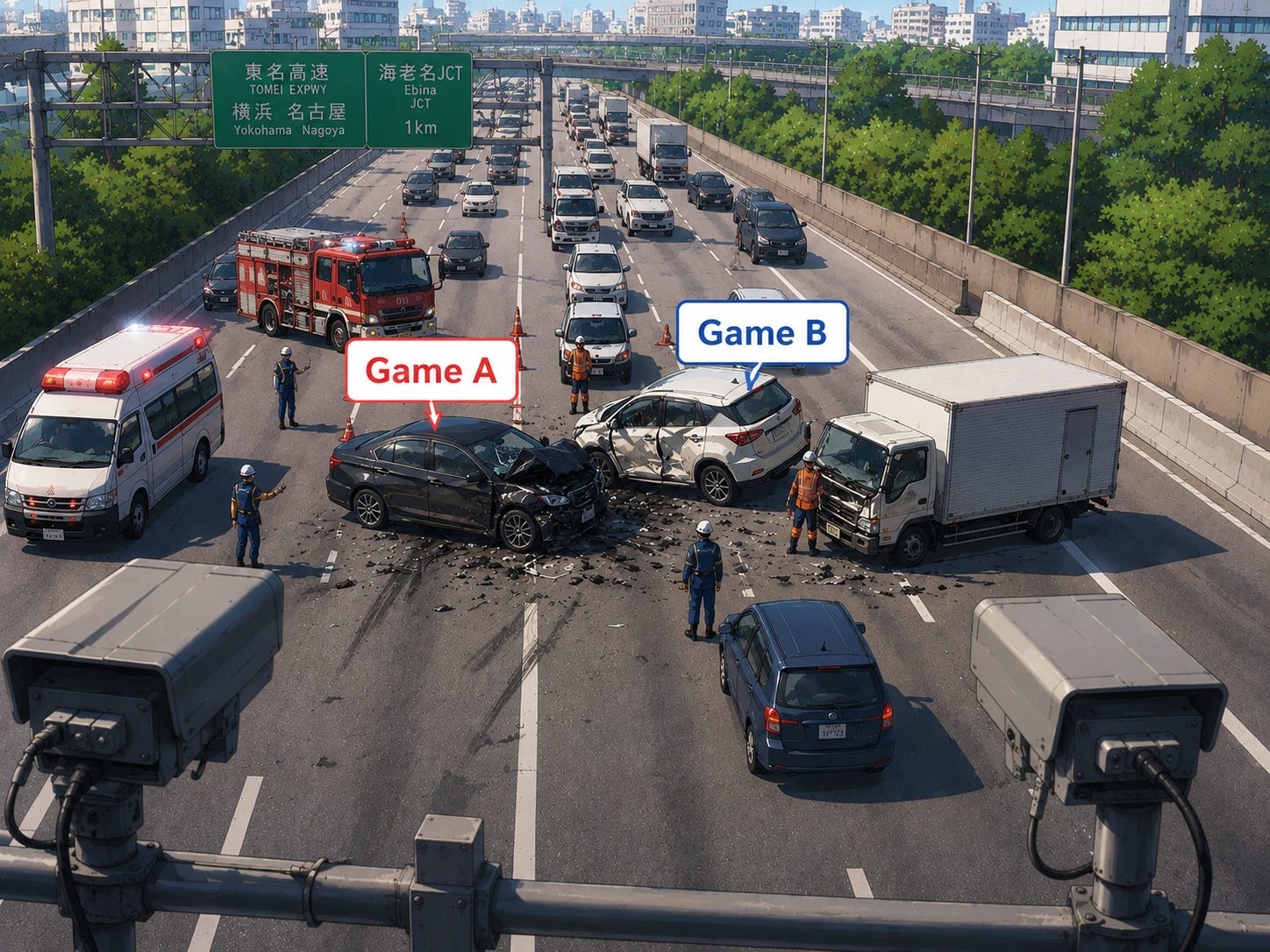
Tournament day. Your team plays Game A in the morning. Same team plays Game B in the afternoon. Two different games, two different opponents, two different scoreboards. One team ID in the database.
Here’s the normie version of what was happening. Remember SignalR, our radio tower from the last section? Every device that needs live updates tunes into a channel and listens. Originally, every device connected to Team X was tuned to the same channel: Channel Team-X. Game A broadcasts on Channel Team-X all morning: scores, pitches, base updates, the works. Game B starts in the afternoon. Also on Channel Team-X. The moment Game B goes live, it’s sharing a channel with everything Game A ever said. Stats bleed. Scores overlap. A parent opening the app for Game B could see Game A’s final score pre-loaded into Game B’s scoreboard before a single pitch has been thrown.
Nobody knows why the numbers are wrong. They just see something wrong. And they stop trusting the app.
The fix was to give every game its own private channel — Channel Game-123 — instead of sharing one channel per team. Field 3 talks on its own frequency. Field 5 talks on its own frequency. No crosstalk. Every device tunes in when its game starts and tunes out when the game ends.
I brought this to the AI:
“SignalR groups are by team ID, not game ID. If one game happens right after the other, which happens in travel sports all the time, counts from the previous game could bleed through.”
The AI’s response:
“Makes complete sense. Game-scoped groups are the right foundation for that — any client (TV, parent phone, scorekeeper) just joins
game-{gameId}and gets exactly that game’s events. No auth required for read-only consumers either.”
Called it architecturally correct. Once I handed it the answer.
The fix touched four places in the backend where broadcasts were going out, and added two new instructions on the frontend: tune in when a game opens, tune out when it closes. That’s it.
Commit message: “scope all game broadcasts to game-{gameId} groups.”
But I want to linger on what the AI said after I pointed out the problem: “No auth required for read-only consumers either.” That’s not a small thing. It means a TV scoreboard at the concession stand, or a parent’s phone on the other side of the fence, can now join game-{gameId} without logging in. They’re just watching. The scoping decision I made for tournament correctness also opened the door for the read-only scoreboard use case that I’d been planning to build eventually.
Those future users, the parents in the parking lot and the scoreboard on the TV behind the dugout, didn’t exist yet when I made this call. I built for them anyway, not because the AI suggested it, but because I could see the field from both sides of the fence. Forty years of building software. A few years of standing at third base watching parents crane their necks at a phone. You put those two things together and you see problems before they arrive.
That’s the job.
The Master Orchestrator
This one is about knowing when a patch is a lie.
The inning-by-inning linescore (the little table showing runs scored per inning, the one that looks like the back of a baseball card) was displaying all dashes. The R/H/E totals were correct. The game data was in the database. But the per-inning breakdown showed nothing.
The fix seemed simple. When the app first loads a live game, it calls out to the server and asks for the current game state: scores, inning, count, everything. That request is called an endpoint: think of it as knocking on a specific door and the server handing you a box of data. The door we were knocking on wasn’t including the per-inning scores in the box. Fix the door, add the scores to the box, unpack them onto the screen. Done. Committed. Working.
Then, later in the same session, after other work had been done in between, I looked at the scoreboard again.
All dashes.
I pasted the raw HTML of the broken table directly into the chat, the actual output the browser was producing, and asked the AI what happened. It searched the code for the function that built the innings array. Found nothing. Its diagnosis: “These were lost in the refactor.” It spent several exchanges chasing the wrong trail before finding the real culprit.
Here’s the normie version of what was actually happening. Remember the walkie-talkie network? Every time a real-time update comes in over the radio (a new score, a pitch, anything) a handler unpacks it and updates the screen. One of those handlers was responsible for updating the scoreboard’s game state. And every time it ran, it replaced the entire scoreboard with a fresh copy from the broadcast — a broadcast that, being a quick live update, didn’t bother including the full innings history. Why would it? It was just saying “the score changed.” But the handler didn’t know that. It just unpacked the box, saw no innings data, and set the innings to empty. Every. Single. Update.
The initial load populated the innings correctly. The first live broadcast erased them.
Fix: tell the handler, “if the incoming box has no innings data, don’t touch the innings we already have.” Sticky note on the monitor. Committed. Working.
Then the innings disappeared again.
At this point I stopped asking “what broke” and started asking “why does this keep breaking.” Here’s how I put it to the AI:
“Is there an opportunity to centralize our code to serve both the scoreboard inning columns and scorekeeping inning columns, the R/H/E and the B/S/O of both scoreboard and scorekeeping? Just want to make things efficient since it’s all real-time and reduce any spaghetti code and stay DRY.”
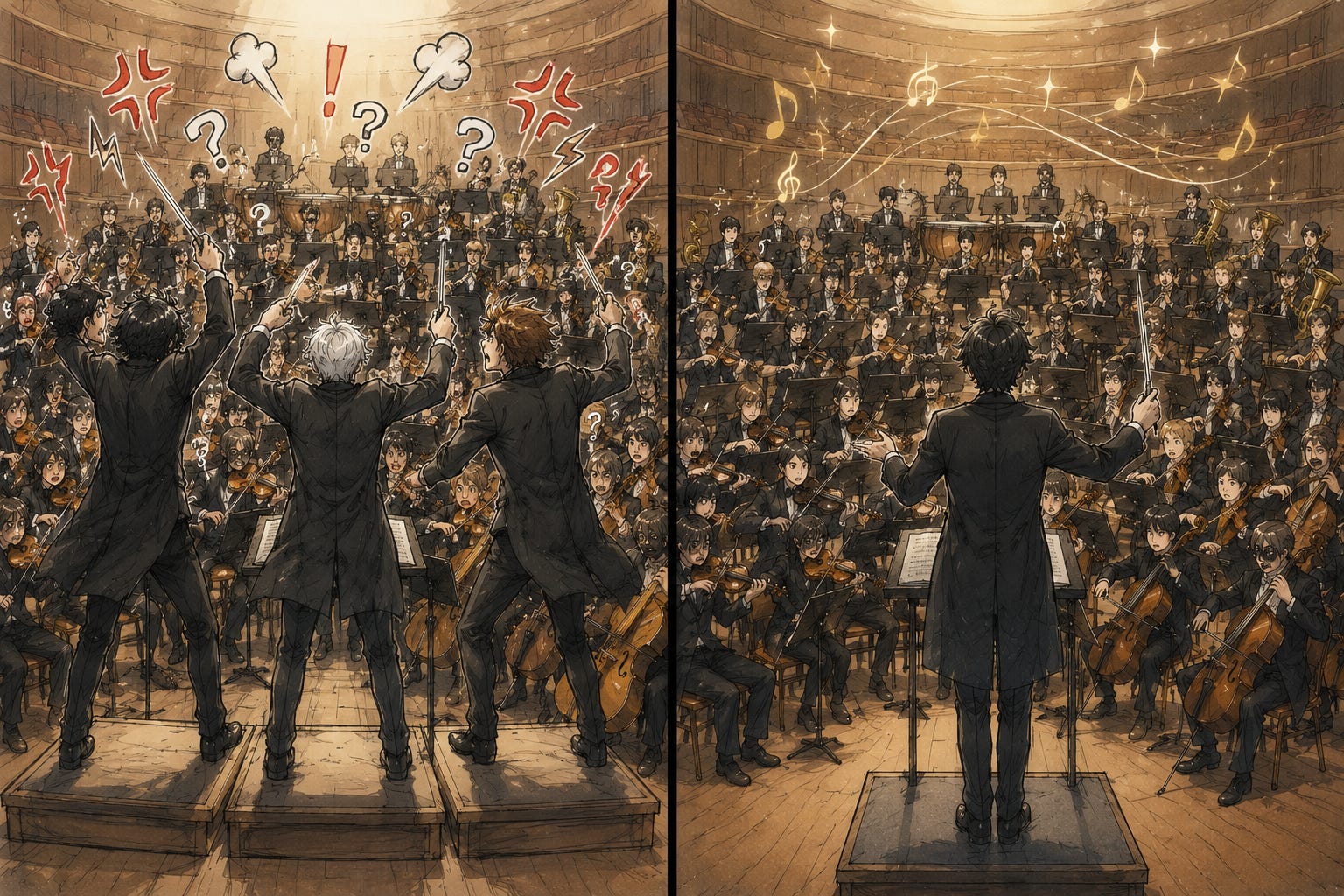
The AI ran a full audit and came back with something I hadn’t seen laid out before. Two completely separate filing systems, one for the scorekeeping screen and one for the TV scoreboard, both storing the exact same information. Same team names. Same inning scores. Same R/H/E totals. But maintained by two different pieces of code, updated by two different radio handlers, fetched from two different server doors. Every time you fixed a problem in one filing system, the other one could still clobber it.
Think of it like two assistants both keeping a copy of the same spreadsheet on separate computers, neither one aware the other exists. You update one. The other one hasn’t heard. Now they disagree. Which one is right? Nobody knows. You can fix the disagreement, but unless you get rid of one of the spreadsheets, it’ll just disagree again the next time someone updates the wrong copy.
It also turned out the scorekeeping linescore, the broken inning table, was a hand-built duplicate of a component that already existed and was working perfectly on the TV scoreboard. Two versions of the same table, written separately, living separate lives, drifting apart.
The AI laid out the fix in three steps. Do two now: swap the duplicate table for the shared one, fix the team abbreviation that was showing as "HME" instead of the real team name. Defer the third (consolidating the two filing systems into one) because it was, in the AI’s exact words: “meaningful structural risk” that “touches SignalR wiring in both hooks.”
My response:
“Yes, let’s do #1 and #2 — but we HAVE to do #3 also. It’ll only get worse and gain complexity if we don’t fix it after #1 and #2.”
The AI did all three. One pass. Clean build. Its closing summary:
“Data flow is now: one door → one unpacker → one filing system → both screens read from the same place.”
One path. One source of truth. The innings have not gone blank since.
Now let me tell you what “meaningful structural risk” actually meant. It meant the AI counted the number of files it would have to touch, pattern-matched that to “big change, high chance of breakage,” and recommended waiting. That’s a reasonable call if you’re working with someone who doesn’t understand what those files do or how they connect.
I wrote those files. I know exactly how they connect.
And more importantly: I knew what deferring cost. Every session I left those two filing systems in place was another session where someone could update the wrong copy and the innings would go blank again. Not because the patches were bad. They were correct. But a correct patch on top of a broken foundation is just a nicer-looking problem. It’s fixing the leak with a bucket instead of the pipe.
A vibe coder reads “meaningful structural risk” and defers. They’ve never been in a system long enough to watch deferred fixes pile up. I have. I know what that bill looks like when it finally comes due.
This is what I mean when I say the fundamentals still matter. Not typing. Not syntax. The thing behind the syntax: the principle that a system with two sources of truth will eventually lie to you, that two components doing the same job will eventually diverge, that the time to close a complexity gap is before the next feature lands on top of it. Those principles were true before AI wrote a line of code and they’ll be true when the models are ten times better than they are today.
You can prompt your way to working software. You cannot prompt your way to the judgment that knows when working software is a trap.
Coming Up in Part 5
Part 5 brings it home. What I’ve changed about how I work with AI tools after building all of this. What I’ve stopped doing. What I’ve started doing. And the single question I now ask before I accept any output, from any model on any task, that has saved me more hours than I can count.
Thanks for reading. If this series has landed for you, subscribe. Part 5 is the one where it all comes together.

This resonates with me. My first AI-built app was an offline analytics dashboard. Like you, I spent most of my time defining behavior, testing, and refining rather than writing every line myself.
The place I got stuck wasn’t functionality — it was security. Once I started thinking about shipping it, I realized I needed to understand the risks much better before I could be comfortable putting it in other people’s hands. That question has turned into a whole new learning journey.